Is Online Fax Secure? What's Encrypted, What Isn't, and How Fax Compares to Email
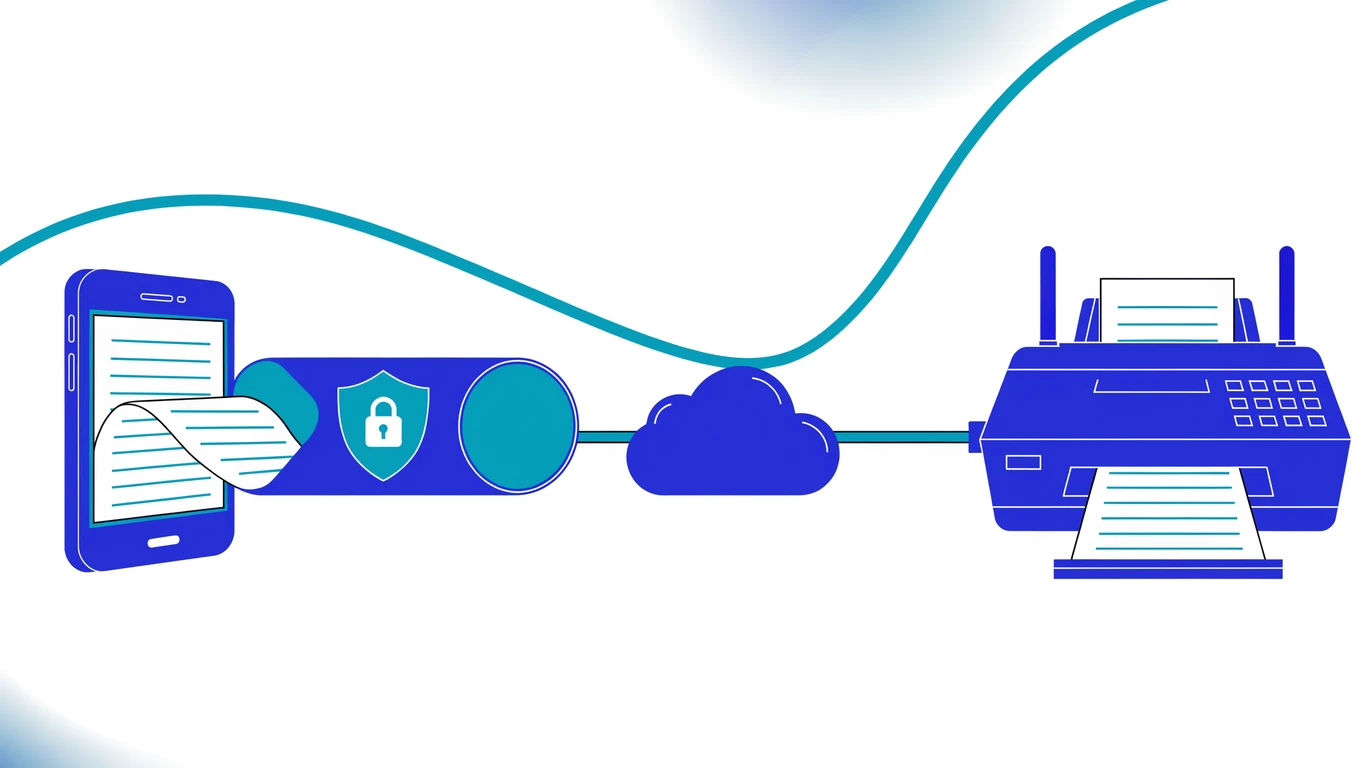
Online fax is encrypted between your device and the fax service, but it is not end-to-end encrypted. Faxify, for example, protects that first hop with 256-bit SSL (TLS). The final leg to a recipient's fax machine runs over the public phone network, which doesn't encrypt fax calls. That makes online fax safer than a shared office fax machine, since your side has no tray and no machine memory, but it is not a sealed channel from sender to reader.
We build Faxify, an online fax service from Const Agility, LLC in Texas, USA, for fax numbers in the United States and Canada, so we have a stake in this answer. We cover fax's weak spots first, including ones Faxify can't fix. This guide was co-written with Jangul Aslam, who founded Const Agility, leads Faxify's engineering and wrote the encryption and protocol sections.
TL;DR
- Online fax encrypts one hop: your device to the service, over TLS.
- Fax is not end-to-end encrypted: the last leg to a fax machine crosses the public phone network unencrypted, T.38 or not.
- The practical risks sit at the ends: wrong numbers, shared trays, printer memory. Online fax removes the last two on your side.
- Fax has no links to phish with, but only end-to-end encrypted email (S/MIME, OpenPGP) protects a message all the way.
- What Faxify adds: 256-bit SSL (TLS) on the upload, a US/Canada carrier network, carrier-confirmed "Delivered" status, and short-lived signed download links.
Is faxing secure?
On the wire, reasonably. At either end, much less so.
On the traditional phone network, listening in on a fax call means getting onto the line or into the carrier's equipment. The IETF's spec for encrypting fax over IP, RFC 7345, notes that this physical hurdle is the main reason secure fax on the public phone network was never a priority. The weak points are the machines and the people around them.
- The shared tray. A fax waits on the machine for whoever walks past first.
- The wrong number. One transposed digit sends every page to a stranger, and a sent fax can't be recalled.
- The machine's memory. Many multifunction printers keep a hard drive that, as the FTC's guide to digital copier security points out, stores data on documents they fax as well as copy.
- The machine itself. In 2018, Check Point researchers took over an HP Officejet Pro all-in-one with one crafted fax, knowing only its fax number. HP had shipped a firmware fix before the research went public.
Online fax removes the tray and the office machine from your half of the exchange; the recipient's half is whatever they run. If a shared machine is your weak point, here is how to switch from a fax machine to online fax.
Is online fax encrypted?
Partly. The upload is encrypted; the last leg is not.
When you send from an online fax app, your document reaches the service over TLS, the protocol that puts the S in HTTPS. Faxify uses 256-bit SSL (TLS) for that hop. The service hands the document to a fax carrier, which turns it into a fax call, and to reach a traditional fax machine that call crosses the public phone network unencrypted.
Fax security, hop by hop
| Stage | Office fax machine | Online fax |
|---|---|---|
| Your side | Pages on the tray, copies in memory | A file behind your device lock and sign-in |
| Leaving you | An unencrypted fax call | An encrypted upload over TLS |
| The last leg | Unencrypted, over the phone network | Unencrypted, over the phone network |
| Their side | A printout on their tray | The same, unless they also receive faxes online |
So when a fax vendor advertises "end-to-end encryption," ask where the ends are. If the recipient has an ordinary fax machine, the final leg is an unencrypted phone call, whatever happens upstream. And "256-bit" describes how strong the lock is on one connection, not how many connections are locked. When you compare online fax services, ask which hops the encryption covers.
Fax machine encryption
An ordinary fax machine doesn't encrypt anything. Group 3 fax, the ITU-T T.30 procedure that machines and fax services use to talk to each other, sends every page as an unencrypted image. The ITU published optional security capabilities for Group 3 terminals (T.36) in 1997, and specialist telephone encryption devices exist, but neither is part of a normal fax call between two offices.
What is T.38 fax?
T.38 is the ITU-T standard for sending Group 3 fax in real time over IP networks, first approved in 1998. Fax tones often don't survive the compression and packet loss of internet calls, so carriers and VoIP systems relay the fax as data instead. T.38 moves the fax; it doesn't encrypt it. RFC 7345 describes wrapping its usual transport in DTLS encryption, but that is an operator's choice you can't see from the sending side, and it ends where the call rejoins the traditional phone network. More on fax's move to cloud infrastructure: where digital faxing is heading.
Is faxing more secure than email?
In a few specific ways, yes. Overall, it depends which email you mean.
Fax goes point to point, to one number. The pages arrive as images, so there is no link to click and no attachment to open. Nor does a printout get forwarded to a whole list in one click. Standard email loses on all three counts. It is often encrypted between mail servers, but that protects the trip, not the message, which sits readable in both mailboxes and on the providers' systems.
Email wins on the count that matters most for confidential material: it can be encrypted end to end. With S/MIME or OpenPGP, only the recipient can read the message, and a digital signature proves who sent it and that nothing changed. An ordinary fax call does neither. The catch is setup: both sides need certificates or keys.
| Fax | Standard email | End-to-end encrypted email | |
|---|---|---|---|
| Encrypted the whole way | No | No | Yes |
| Links or attachments to phish with | None; pages arrive as images | Yes | Yes |
| One-click forwarding | Hard from a printout, easy once saved as a PDF | Yes | Yes, once opened |
| Proof of who sent it | None; the fax header is whatever the sender typed | Weak; display names are easy to fake | Strong, with a digital signature |
Our take: for a one-off document to a known fax number, fax is a sound choice, often a safer one than an email attachment. For anything that must stay confidential end to end, neither ordinary fax nor ordinary email will do. Use an end-to-end encrypted channel both sides control.
How Faxify protects your faxes
Here is what Faxify does on its side, and where that stops.
- Encrypted upload. 256-bit SSL (TLS) encrypts the connection between your device and Faxify, protecting documents in transit on that hop. It is not end-to-end encryption, and we don't call it that.
- A US and Canada carrier network. Faxify sends only to US and Canadian fax numbers, and faxes travel over a US/Canada carrier network.
- Carrier-confirmed "Delivered". A fax shows Delivered only when the carrier confirms the receiving machine got it, not when your upload finishes. We built it that way because "Sent" only tells you the file left your phone. Delivered can't prove who picked up the pages, though. Our online fax guide for law firms covers why the distinction matters for filings.
- Short-lived download links. Download links to your fax files are short-lived signed links, so a link pasted into a chat or saved in browser history expires instead of working indefinitely.
The rest is account hygiene. You sign in to Faxify with Google, a one-time code sent to your email, or Apple on iPhone, iPad and the web. Whoever controls that Apple, Google or email account can reach your fax history. Protect that account with a strong password and two-step verification, and lock your phone and computer. Then read the fax number back before you tap send. No encryption fixes a wrong digit.
When fax isn't the right tool
Fax delivers a copy of a page to a number, and some jobs need more than that. A fax carries an image of a signed page, with no record of who signed it or whether the page changed afterward, so contracts belong on an e-signature platform such as DocuSign or Adobe Acrobat Sign; Faxify's cover-page signature is a visual signature, not an e-signature. Once a fax prints or lands in an inbox, you can't revoke it, set it to expire, or limit who reads it, and its delivery record covers a number, not who viewed each page. If you need per-person permissions or a log of who opened what, use a file-sharing link, client portal or document system built for that.
Protected health information is a hard limit, not a trade-off. Faxify is not HIPAA compliant and does not sign Business Associate Agreements. Do not send PHI through Faxify. Faxify's carrier and document-storage providers hold their own BAAs with Faxify; that covers their relationship with us and extends no HIPAA coverage to you. If you handle PHI, use a vendor that will sign a BAA with you. How HIPAA works in fax transmission is explained in our guide to HIPAA and online fax.
FAQ
Is online fax secure? Online fax is more secure than a shared office fax machine, but it is not end-to-end encrypted. Your upload to the service is encrypted with TLS (Faxify uses 256-bit SSL), and your side has no shared tray or machine memory. The final leg to a recipient's fax machine still crosses the public phone network, which doesn't encrypt fax calls.
Are faxes secure? On the traditional phone network, faxes are hard to intercept in transit, but they are not encrypted. A standard fax call sends page images over the phone network in the clear, and tapping it takes access to the line or the carrier's equipment. Fax security therefore depends mostly on the ends: misdialed numbers, pages left on a shared tray, and copies stored in a multifunction printer's memory.
Is online fax encrypted? Partly. Online fax encrypts the hop from your device to the service, typically with TLS; Faxify uses 256-bit SSL. The final leg is not encrypted: to reach a traditional fax machine, the document crosses the public phone network as an ordinary fax call. Any "end-to-end encrypted fax" claim only holds if the document never has to become a phone call.
Can someone intercept a fax? Yes, but it is hard to do on the line itself. Tapping a fax call means getting onto the phone line or into carrier equipment, which usually takes physical access; over IP networks, T.38 fax is unencrypted unless the operator adds protection such as DTLS. The realistic risks sit at the ends: a wrong number, an unattended printout, a printer's stored copies, or a hijacked account.
Is T.38 secure? Not by itself. T.38 is the ITU-T standard for carrying fax calls over IP networks, and it relays the fax without encrypting it. RFC 7345 defines a way to wrap its usual transport in DTLS encryption, but that is a network operator's choice the sender can't verify, and the protection ends where the call reaches the traditional phone network.
What encryption does Faxify use? Faxify uses 256-bit SSL (TLS) to encrypt the connection between your device and the service, which protects documents in transit on that hop. It does not provide end-to-end encryption: faxes travel over a US/Canada carrier network, and the final leg to a traditional fax machine crosses the public phone network, which isn't encrypted. Download links to your fax files are short-lived signed links.
Ready to send a fax?
Faxify is free for the first 5 pages every month — no credit card, no trial. Need to send just one fax? A single Fax Pass is $2.99, no subscription. Paid plans start at $7.99/month (about $5.83/month on the annual plan) and include a dedicated fax number for incoming faxes.
Download for iOS · Get for Android · Use on the Web
For business volume
Email hello@faxify.com or schedule a call with our founder, Jangul Aslam. You will reach a real person on email, phone, or video call.
Don't need fax? Try NxtTools
NxtTools is our companion app — same PDF tools, scanner, and document toolkit, minus the fax. Free, ad-supported, no account required. NxtTools at nxt.tools
Written by Zoya Aslam at Const Agility, LLC — makers of Faxify. Co-written with Jangul Aslam, who wrote the encryption and protocol sections.