Give your AI assistant the power to send and receive faxes
Faxify's Model Context Protocol (MCP) server lets ChatGPT, Claude, and Cursor send, track, and — with a dedicated fax number — receive real faxes. The server is included free on every Faxify plan, with a 10-minute setup. No enterprise tier required.
I Asked Claude to Send a Real Fax. It Just Did It.
Send and receive faxes
Ask Claude, ChatGPT, or Cursor to send a fax — or, with a dedicated fax number, list and read the faxes you've received. 18 typed tools, no glue code.
Free on every plan
Faxify MCP is included on every plan, free and paid. It is not gated behind an enterprise tier or a waitlist.
10-minute setup
Point your MCP client at one URL, sign in with the same login as the apps, and you're sending faxes.
One endpoint, two auth flows
https://mcp.faxify.com/api/v1/mcpOAuth 2.1 for HTTP clients, JWT for stdio clients — the same Apple, Google, and email sign-in you already use for the Faxify apps.
18 typed tools across 4 categories
Your AI assistant discovers these automatically and chains them into multi-step workflows — outbound and inbound.
Faxes
send, list & read inbound, check status, resend, delete
Drafts
create, update, preview, send a saved draft
Account
profile, fax number, usage
Subscription
plan, limits, offerings
See the full tool reference and live docs at mcp.faxify.com.
Works with the AI tools you already use
Connect Faxify MCP to any MCP-capable client. These work out of the box:
- Claude Desktop
- ChatGPT (Developer Mode)
- Cursor
Building your own agent? Use the open-source @faxify/mcp-client to connect any environment over stdio.
What people build with it
Government forms
Auto-fax permit applications and agency paperwork from a document folder — and let your assistant pull inbound replies as they arrive.
Legal filings
Send court filings and service of process to a clerk, with a carrier-confirmed delivery receipt.
Real-estate disclosures
Hand a signed disclosure packet to the opposing broker without leaving your AI workflow.
Accounting
Fire off invoices, statements, and signed engagement letters during tax-season volume.
Recruitment & HR
Auto-fax offer letters and NDAs to candidates in regulated-industry hiring.
Why Faxify MCP
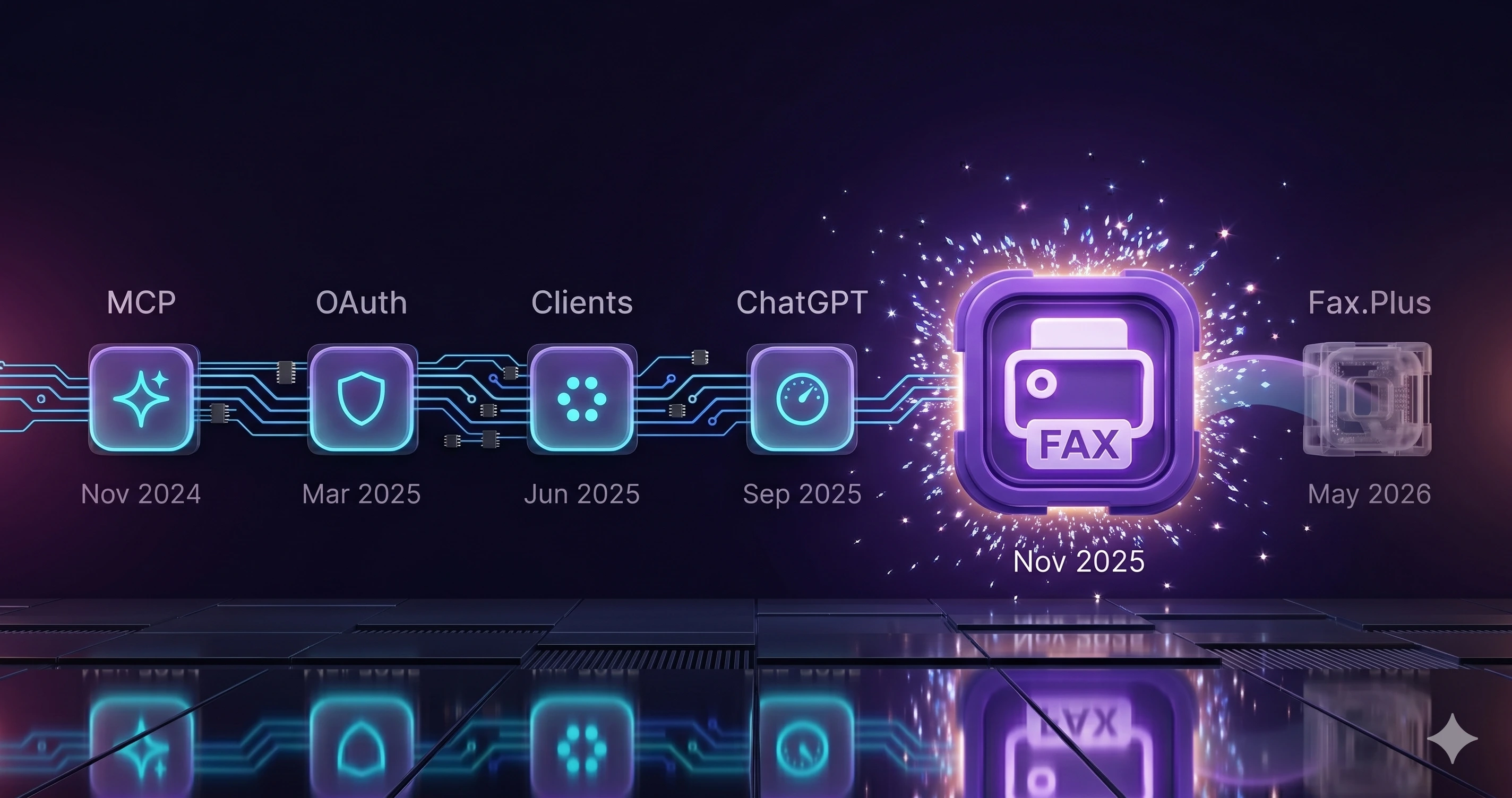
Faxify shipped its hosted fax MCP server in November 2025. The reason to pick it today is simpler: it's included on every plan, including free, and you can set it up in minutes. Here's the honest comparison — we'll tell you where a competitor wins, too.
| Faxify MCP | Fax.Plus MCP | |
|---|---|---|
| Included on the free plan | Yes — every plan | No — paid plans only |
| Setup | ~10 min, self-serve | Self-serve OAuth, paid plan |
| First shipped | Nov 2025 | May 2026 |
| Typed tools | 18 | 38 |
| Coverage | USA + Canada | Worldwide |
If you need a bigger toolset (38 tools), worldwide coverage, or an enterprise SLA, Fax.Plus is the better pick. If you want AI fax that's free on every plan and live in ten minutes, that's Faxify.
Get started in 10 minutes
- 1Sign in to Faxify — free, 5 pages a month, no credit card.
- 2Add the MCP server URL to your AI client, or install @faxify/mcp-client for stdio.
- 3Ask your assistant to send a fax — or check the ones you've received.
Compliance
Faxify is not HIPAA compliant and does not sign Business Associate Agreements. Do not send PHI (Protected Health Information) through Faxify. This applies to every plan, free and paid, and to the MCP server. Faxify's carrier and document-storage providers hold their own BAAs with Faxify; that covers their relationship with us and extends no HIPAA coverage to you. If you handle PHI, use a vendor that will sign a BAA with you.
Frequently asked questions
- What is the Faxify MCP server URL?
- https://mcp.faxify.com/api/v1/mcp. HTTP clients authenticate with OAuth 2.1; stdio clients use JWT through the open-source @faxify/mcp-client package.
- Does Faxify MCP cost extra, or is it included in my plan?
- It is included on every Faxify plan — free and paid — at no extra cost. The free plan gives you 5 fax pages a month with no credit card.
- Can Faxify MCP receive faxes, or only send them?
- Both. With a dedicated fax number, inbound faxes land in your Faxify account and your AI assistant can list and read them through the same MCP tools. A dedicated number is included on every annual plan and on the Standard, Professional, and Elite monthly plans; the free and Basic monthly plans are send-only.
- Which AI assistants work with Faxify MCP?
- Claude Desktop, ChatGPT in Developer Mode, and Cursor connect directly. Any MCP-capable client works, and you can build a custom one with the open-source @faxify/mcp-client.
- Is Faxify MCP HIPAA-compliant?
- No. Faxify is not HIPAA compliant and does not sign Business Associate Agreements, and that applies to the MCP server exactly as it does to the apps. Do not send PHI through Faxify. Faxify's carrier and document-storage providers hold their own BAAs with Faxify, which extends no HIPAA coverage to you.
- How does Faxify MCP authenticate?
- OAuth 2.1 for HTTP clients and JWT for stdio clients — using the same Apple, Google, or email sign-in as the Faxify apps. No separate API key to manage.
- Can I build a custom AI fax agent on Faxify MCP?
- Yes. The 18 typed tools plus the open-source @faxify/mcp-client let you build an agent that sends, tracks, and manages faxes in any MCP-capable environment.
From the Faxify blog
Ready to send a fax from your AI?
Faxify MCP is included free on every plan — 5 pages a month, no credit card. Add the server URL to your assistant and send your first fax in ten minutes.